Fire protection work, procured in one place.
TradesNetworks began as a directory of Ontario contractors. Its founder wanted a platform: property managers, contractors and suppliers, each with an account and a reason to log in. We designed and built it, from the public site to the dashboards and the database behind them.
- Contractors listed
- 103
- Trade categories
- 11
- Ontario municipalities
- 37
- Suppliers
- 10
Figures from the live site at launch, October 2026.
More than a website.
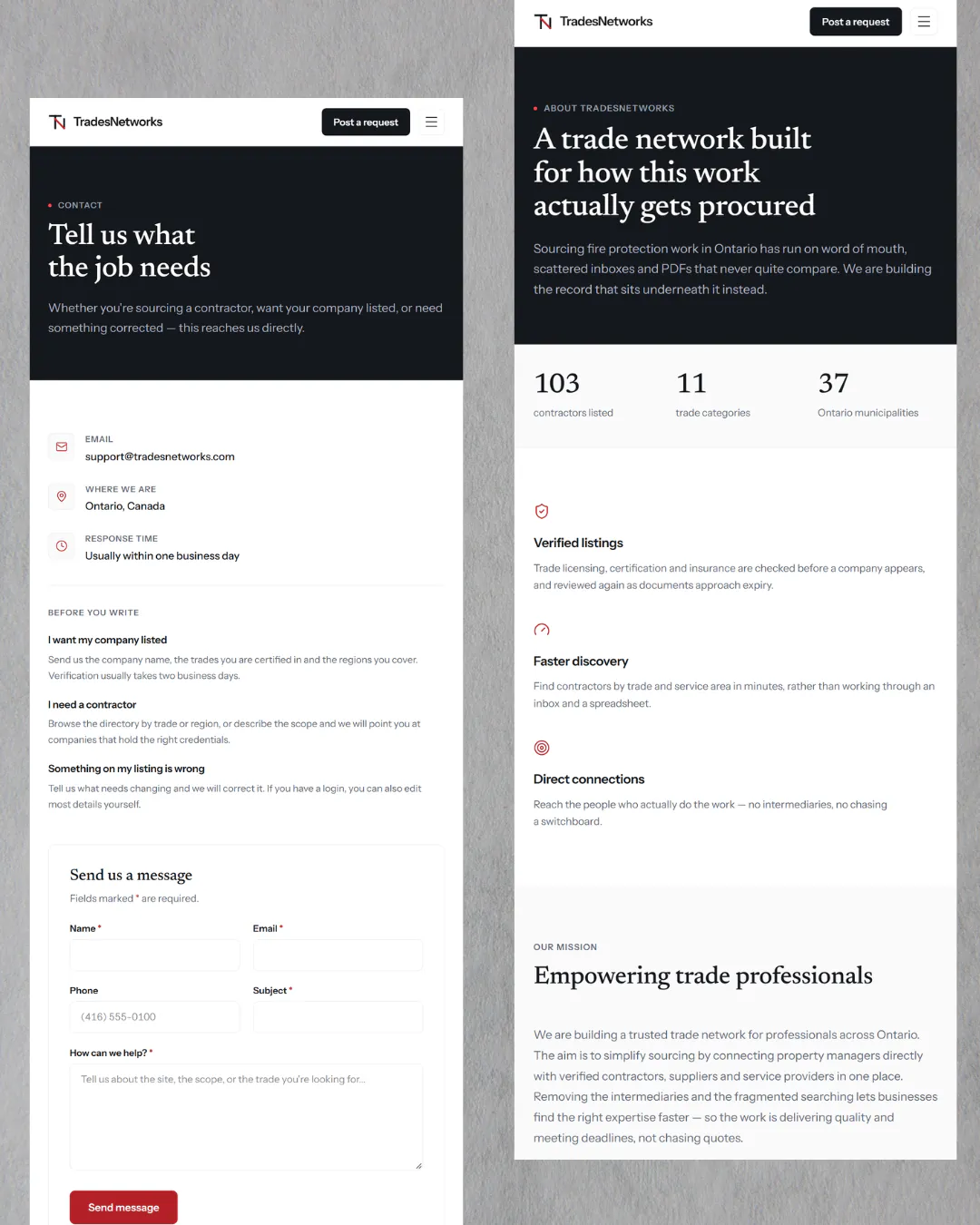
Dainer, the founder, arrived with a directory that already worked as a list and an idea that kept growing past it. Contractors, property managers and suppliers each needed an account of their own and a reason to use it for real work.
In his words, sourcing fire protection work in Ontario “has run on word of mouth, scattered inboxes and PDFs that never quite compare.” The platform’s job was to be the record that sits underneath all of that.
The existing application had security and quality problems. We said so up front, and rebuilt it instead of patching over it.
Request for platform · No. 001
Build the platform behind Ontario’s fire protection directory
- From
- TradesNetworks Inc., Ontario
- Parties
- Property managers · Contractors · Suppliers · Administrators
- Scope
- Public site, accounts, dashboards, quotes, documents, database
- Constraint
- Keep the live data. Explain it from the fire protection side, not the programmer’s
Redlines from the audit
- A customer_type of 0, 1 or 2A named role: admin, company or user
- Categories stored as the text “3,7,12”A join table the database can index
- Admin meant “user number 1”An admin role the database itself enforces
- Two separate password-reset systemsOne sign-in, one reset
- A schema that lived only in productionVersioned migrations, rebuilt from the code
Two front doors, one platform.
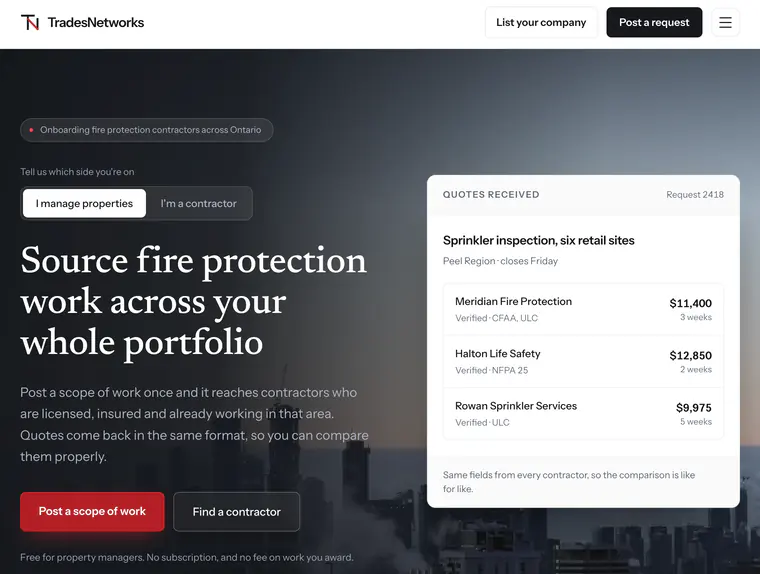
The homepage asks one question before anything else, and the rest of the site answers it from either side.
Tell us which side you are on
For property managers
Post the scope once. Compare what comes back.
- 01
A scope of work, written once
Describe the job, the buildings and the certifications it needs. It reaches contractors who are licensed, insured and already working in that area.
- 02
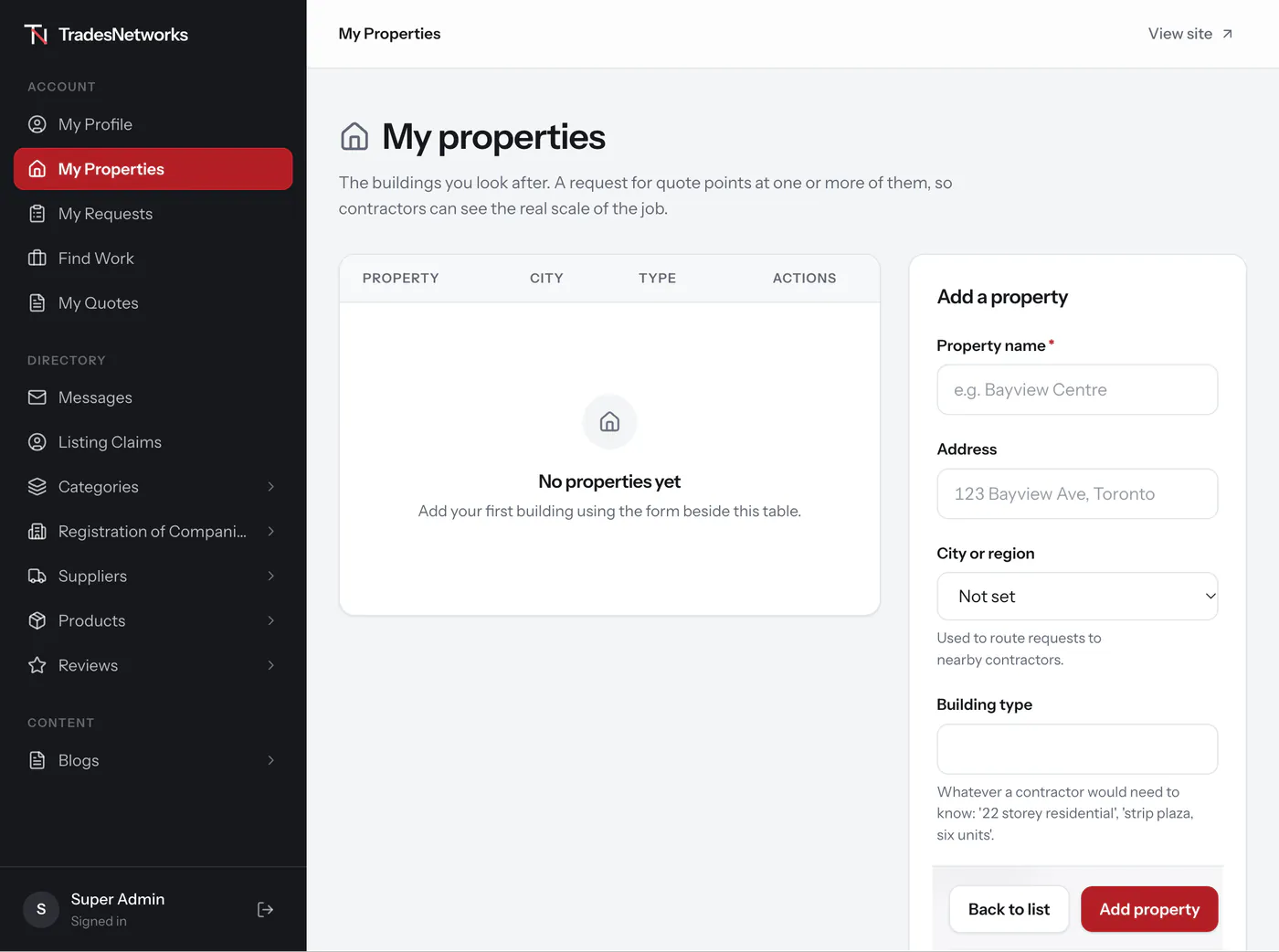
Properties kept on the account
The buildings you look after sit on file, so a request points at one or more of them and contractors see the real scale of the job.
- 03
Quotes in the same format
Price, timeline and proof of licensing, in the same fields from every contractor, so the comparison is like for like.
- 04
Award it and keep the record
Choosing a quote settles the rest and closes the request, and the whole history stays on the platform.
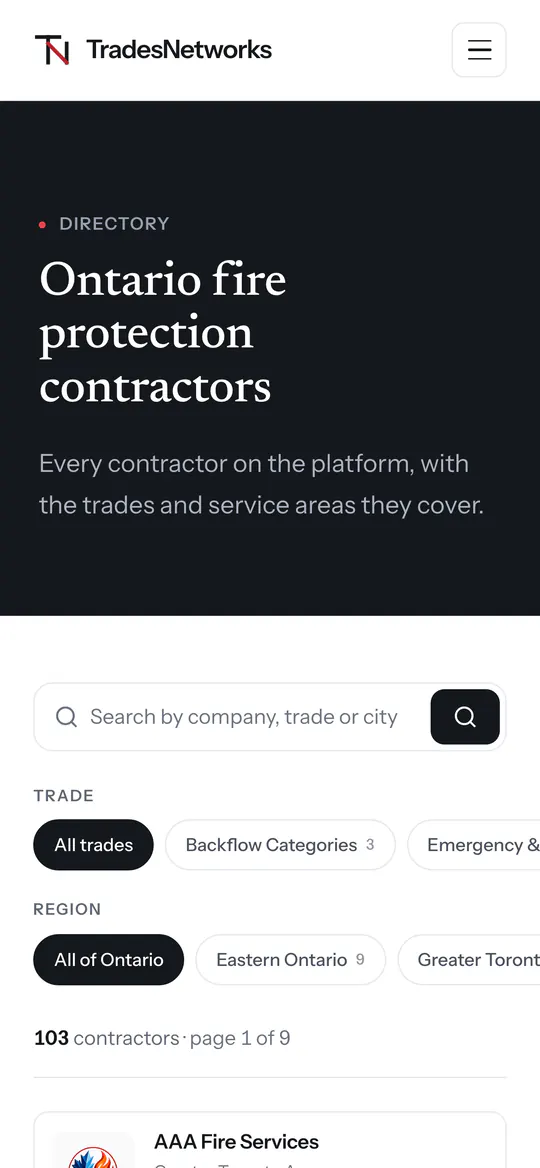
The directory
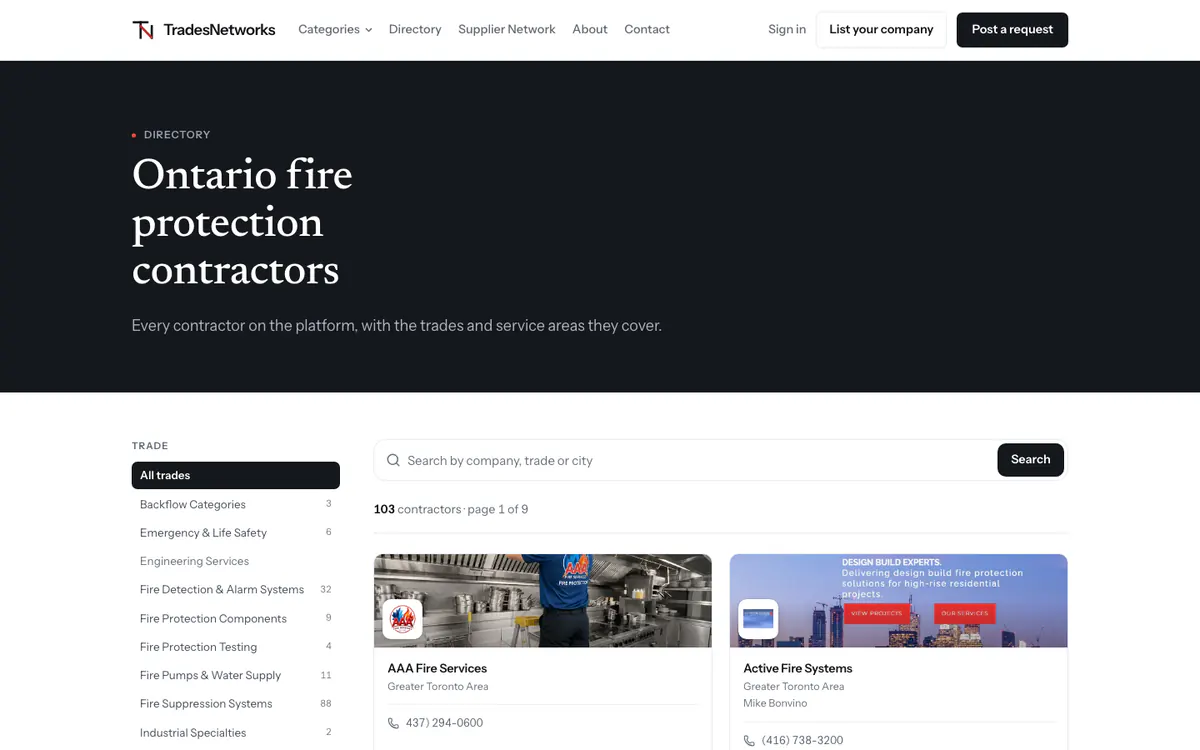
One list, sorted the way the trade sorts itself.
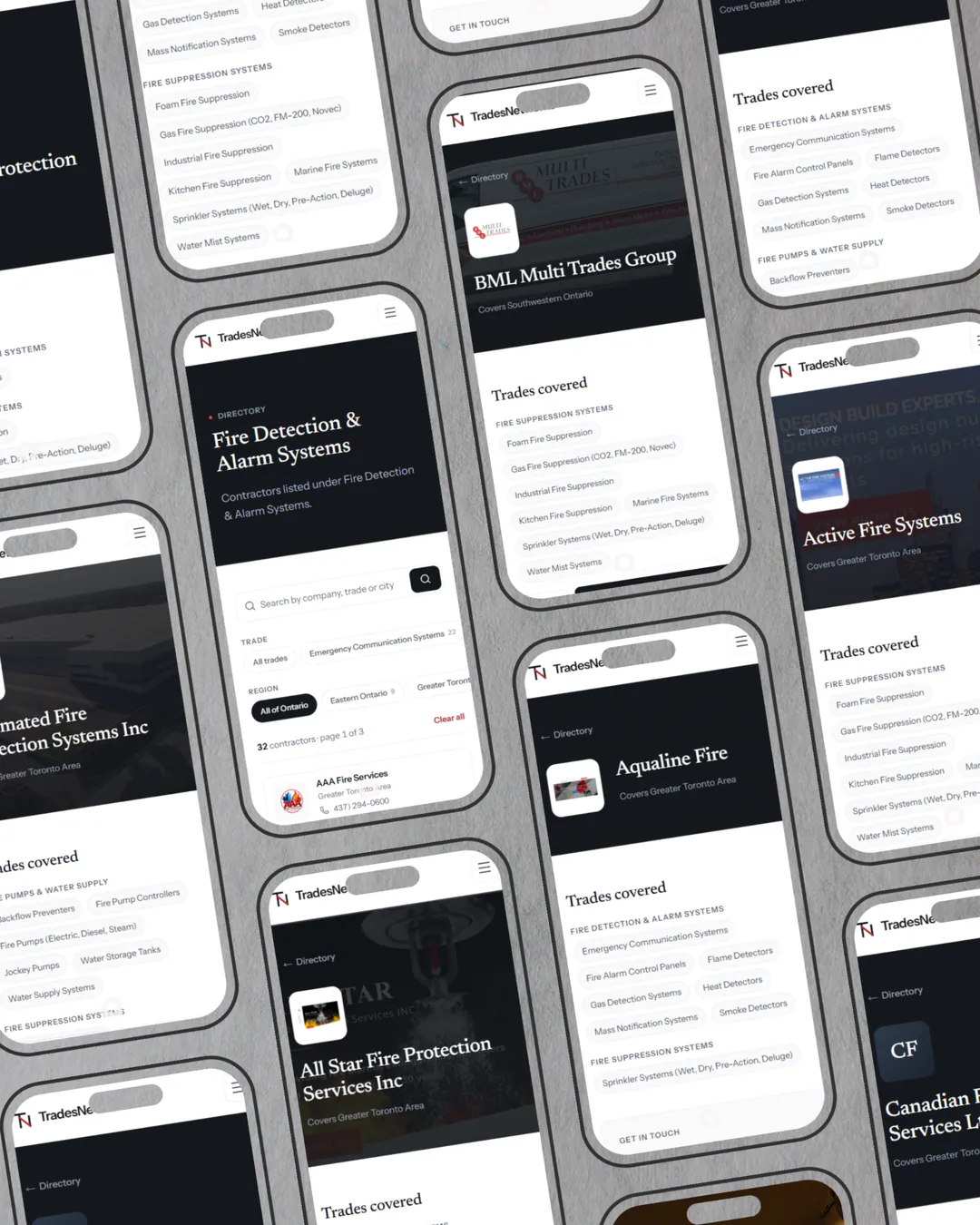
Eleven trade categories, from fire suppression and alarm systems to backflow and portable equipment, across thirty-seven Ontario municipalities. Every listing carries the trades and regions it covers, so a property manager can search by the work, not the company name.
- Backflow Categories
- Emergency & Life Safety
- Engineering Services
- Fire Detection & Alarm Systems
- Fire Protection Components
- Fire Protection Testing
- Fire Pumps & Water Supply
- Fire Suppression Systems
- Industrial Specialties
- Pneumatic & Air Systems
- Portable Fire Equipment
The public site, top to bottom
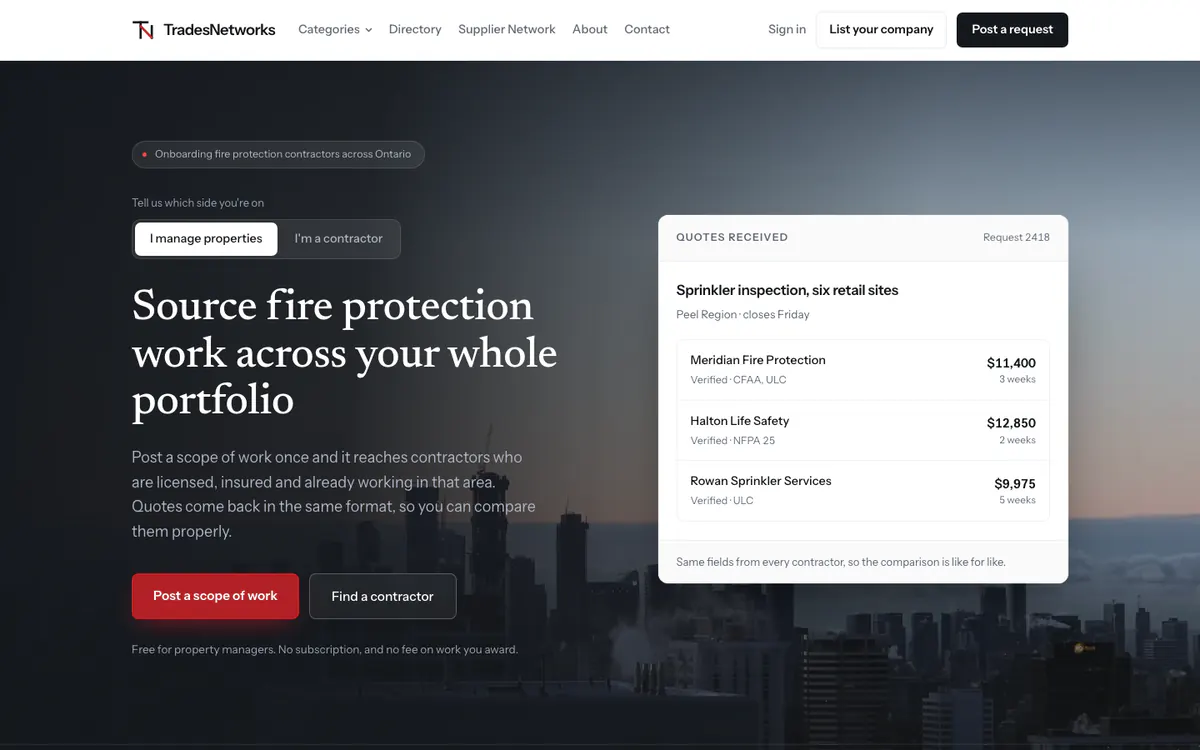
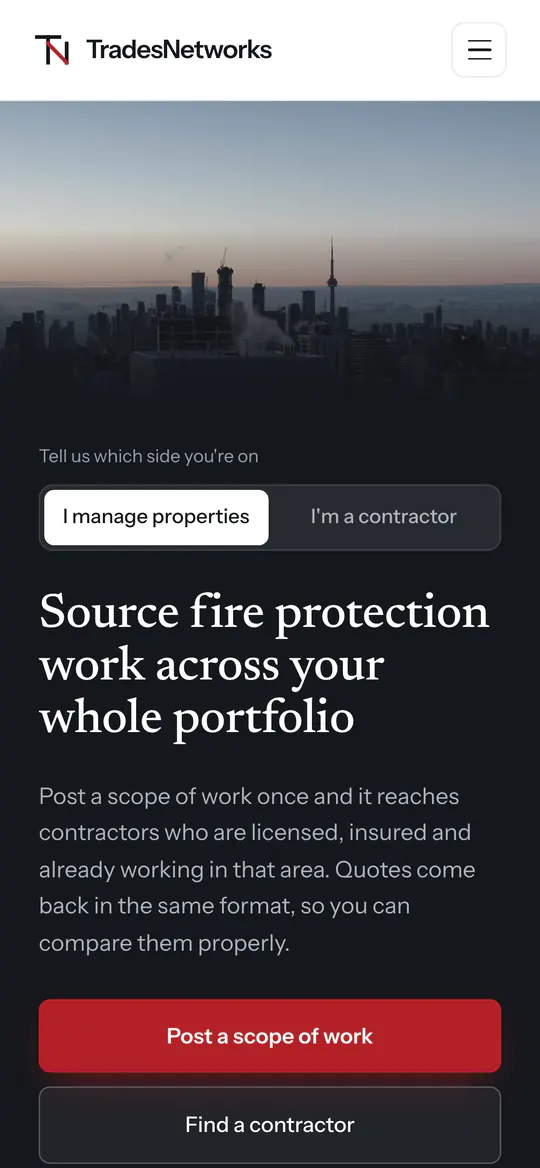
Scroll it. The phone follows the laptop.
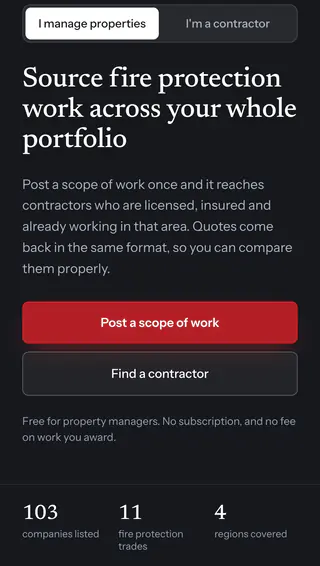
Same page, two layouts, each built for its own screen. This is the whole homepage.
Screen 01
Pick a side on the first screen
The hero asks which side you are on, and the quote card shows the product working before anyone signs up.
Screen 02
103 companies, searchable
Search by company, trade or city, or browse listings with the trades and regions each company covers.
Screen 03
Suppliers and coverage
Ten suppliers behind the work, and four regions where requests route to companies already working there.
Screen 04
From scope to award
Four steps: post the scope, matched contractors are notified, quotes come back in one format, award and keep the record.
Screen 05
Each side gets its own page
Property managers and contractors each get a plain explanation and a clear next step, then the procurement record itself.
Screen 06
Questions answered before the form
Cost, verification and coverage, in plain language, then two doors: post a request, or get listed.
Quotes that compare.
Try it · sample request
Quotes received
Request 2418Open
Sprinkler inspection, six retail sites
Peel Region · closes Friday
Meridian Fire Protection
Verified · CFAA, ULC
$11,400
3 weeks
Halton Life Safety
Verified · NFPA 25
$12,850
2 weeks
Rowan Sprinkler Services
Verified · ULC
$9,975
5 weeks
Same fields from every contractor, so the comparison is like for like.
A request is only useful if the answers line up. Every contractor responds in the same shape, and the rules that keep it honest live in the database, not in each screen.
draft → open → closed → awarded
A request moves through named states, and cancelled is one of them.
One quote per company
A firm answers a request once, so the comparison never carries duplicates.
Withdrawn, not deleted
A pulled quote stays on file, so a request’s history stays intact.
Awarding is one step
The winner is awarded, the others are declined and the request closes together, or not at all.
Built to be run, not just launched.
Behind the public pages is the part nobody sees until it breaks: accounts, rules, documents and the dashboard an administrator lives in.
- Accounts and roles
- Admin, company and user roles. Self-service sign-up can never mint an administrator.
- Rules in the database
- Row-level security decides who can see what, so no screen has to remember to.
- Listings and claims
- A company claims its listing, and an administrator approves the claim.
- Credentials
- CFAA, 427A, 309A, 442A and NFPA 10 certificates kept as private documents. The ECRA/ESA licence is stored as a number anyone can check against the regulator.
- Supplier network
- Suppliers are companies too, with brands and product catalogues, and a firm that both installs and distributes can be both.
- Reviews and content
- Reviews are moderated before they appear. A blog and a newsletter with one-click unsubscribe sit beside the directory.
Built with
Next.js 16React 19TypeScriptTailwind CSS 4Supabase Postgres + AuthCloudflare WorkersResendFiled, and posted the way it travels.
The launch went out on Instagram as a run of posts, the platform on a tablet over the Toronto skyline, a wall of phones, and the clips below.
Instagram · @vortioai
Follow the work
We post the builds behind the sites.
New launches, the thinking behind them, and what we are building next for service businesses and the platforms around them.
Follow @vortioai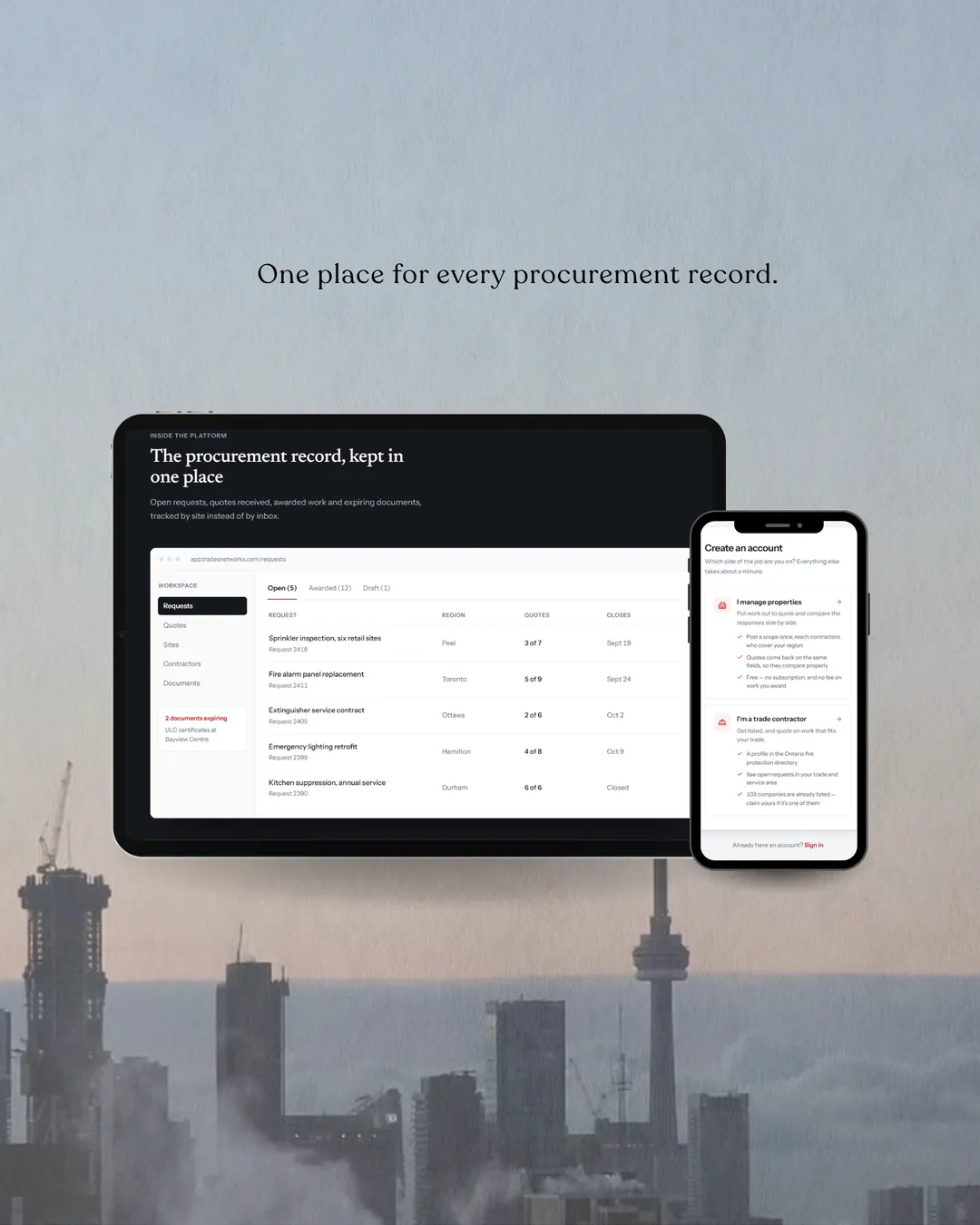
Filed by the client
“I didn’t have to talk like a programmer. I could explain it from the fire protection side.”
Dainer Lucumi Leon
Founder, TradesNetworks Inc.
Dainer Lucumi Leon
Google review · October 2026
TradesNetworks was not a simple website project. I wanted something where contractors, property managers and suppliers can all have their own account and actually use the platform for real work.
Vortio helped build the whole system from the ground up. Contractor directory, supplier listings, dashboards, quote requests, company profiles, documents, user roles, database, all of it. There was a lot to figure out as we went because the idea kept growing, but they stayed with it and kept solving things.
For me the best part was I didn’t have to talk like a programmer. I could explain it from the fire protection side, like how contractors work, what property managers need, how people should find each other, and they would turn that into the platform.
I’m very happy with how TradesNetworks has come along. If somebody needs a custom marketplace or web application and not just a normal website, I would recommend Vortio.
Building something that is more than a website?
If your idea has accounts, roles, quotes or records behind it, tell us how it works in your own words. We will turn it into the platform.

Platform design and build by Vortiotradesnetworks.com